


Product · Live on the App Store
Aerolist
Pilot checklists, built for iPad.
A checklist app for pilots. Keep it in Slide Over beside your EFB and tick through every phase without losing your place, with Zulu block times and crew rest built in. Fully offline, no account, and on iPhone too.
iPhone
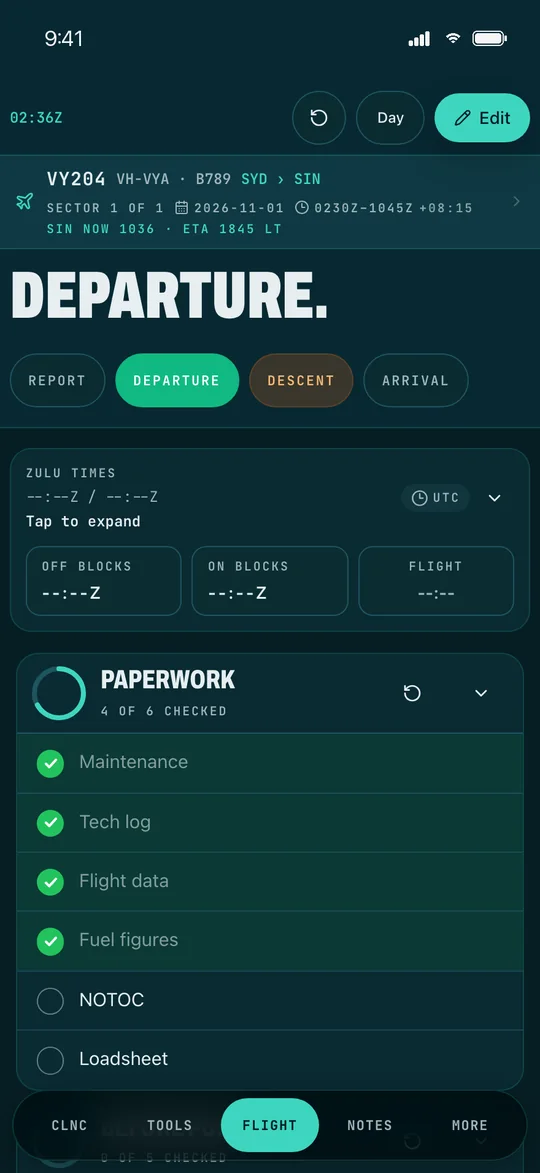
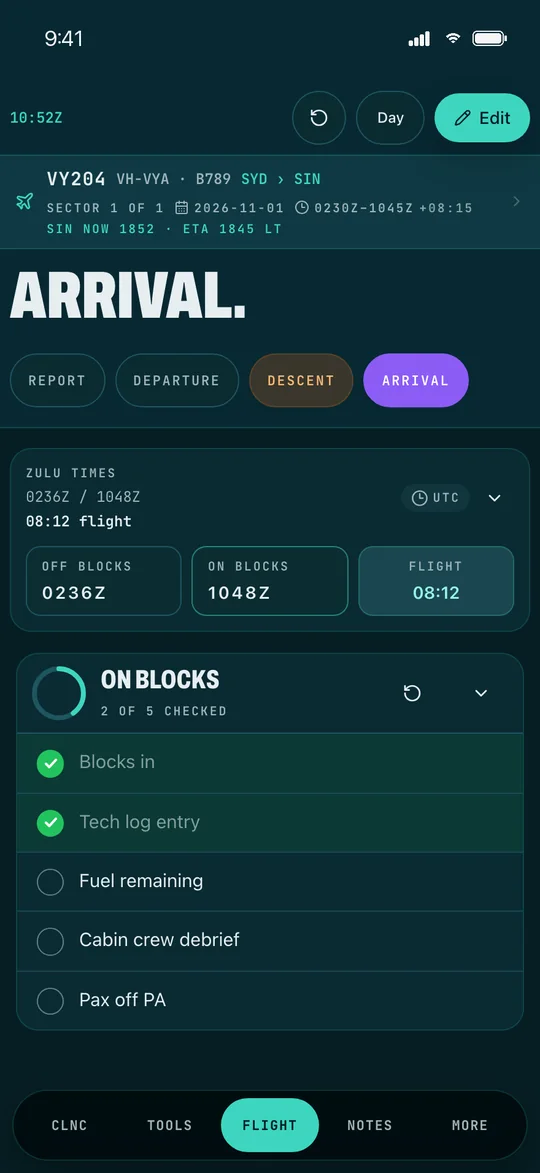
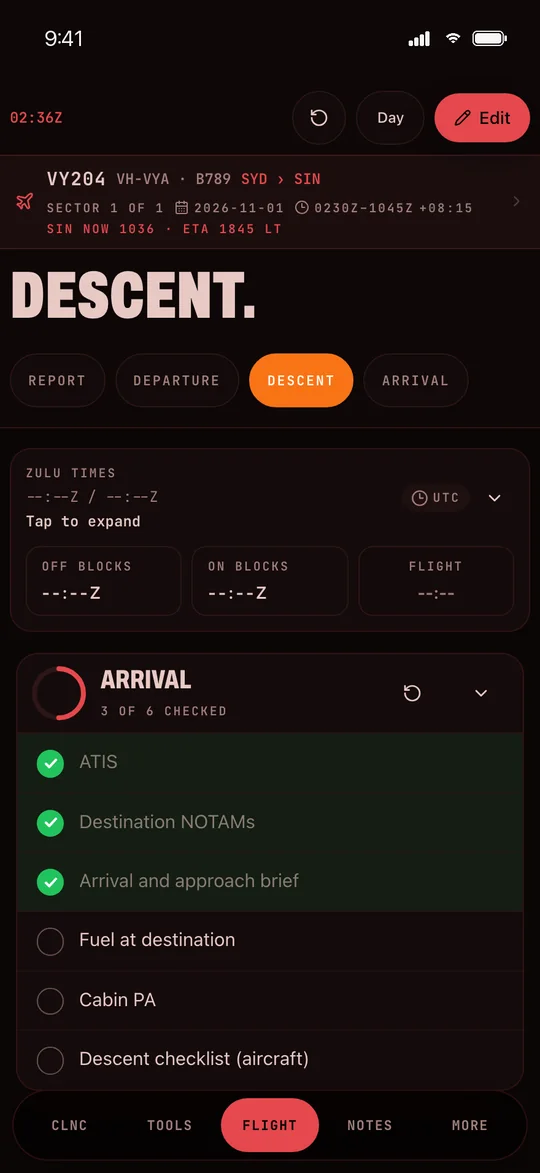
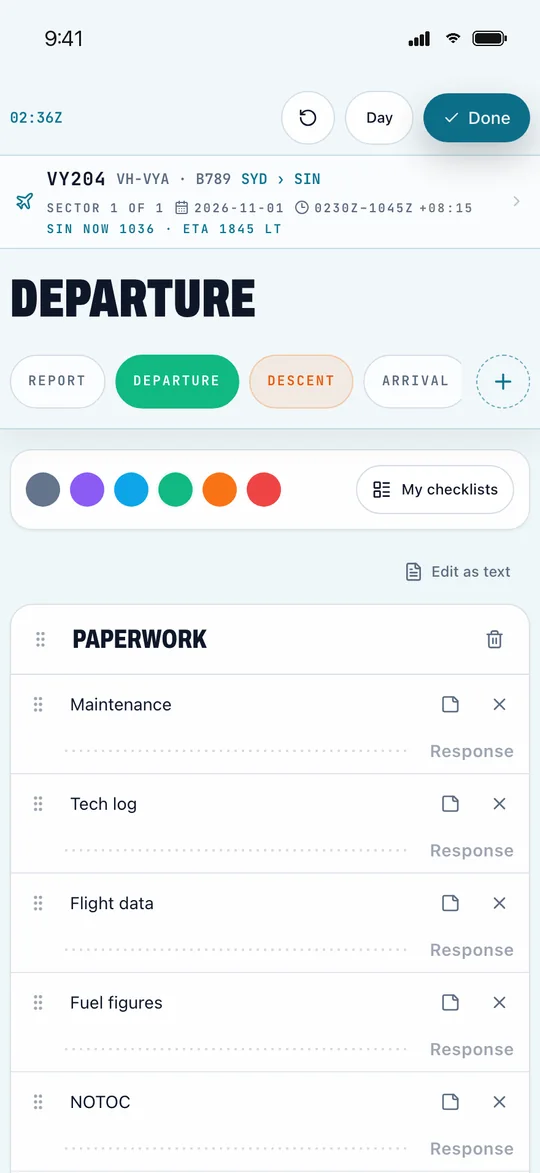
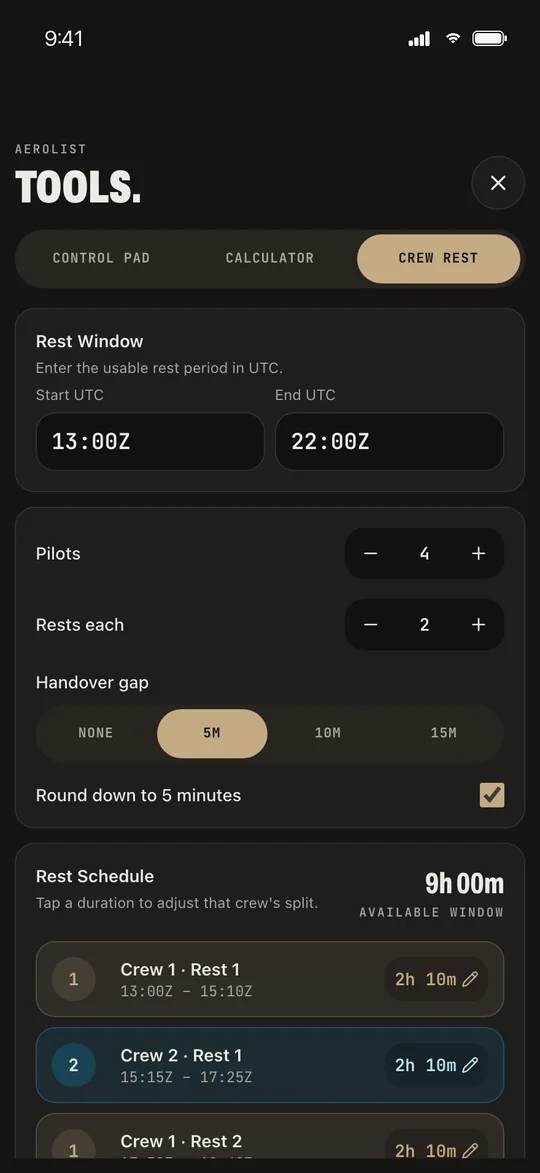
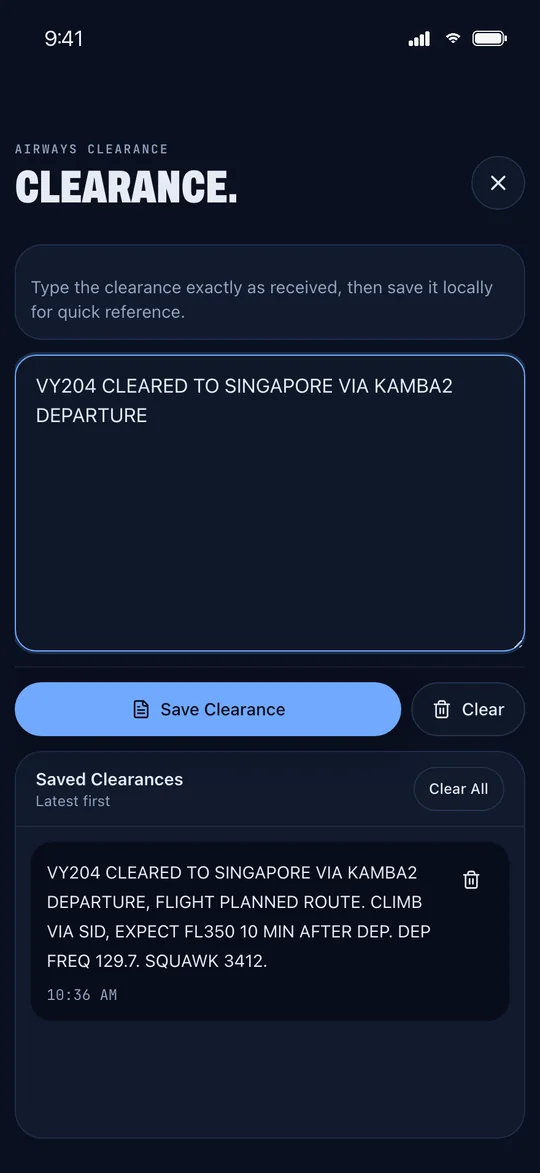
Checklists and tools for the duty day
Every screen is a capture of the current app. Cockpit teal is free; Night ops, Veylor and Midnight come with Premium.
iPad
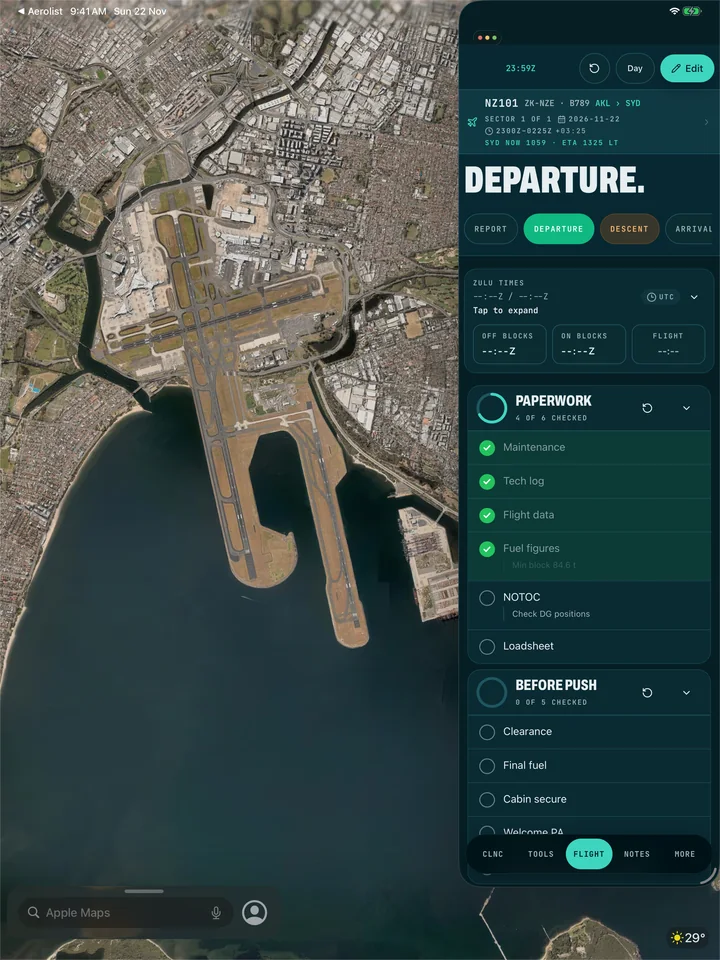
Built for Slide Over
One swipe away over your EFB, charts or maps, or full screen.
Features
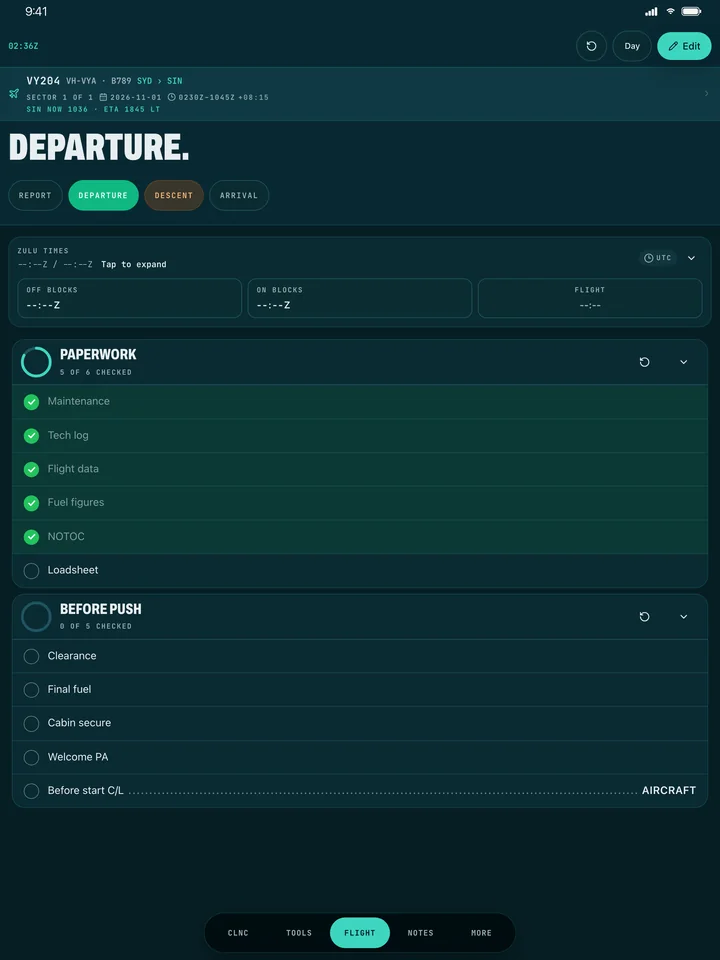
Every phase, without losing your place
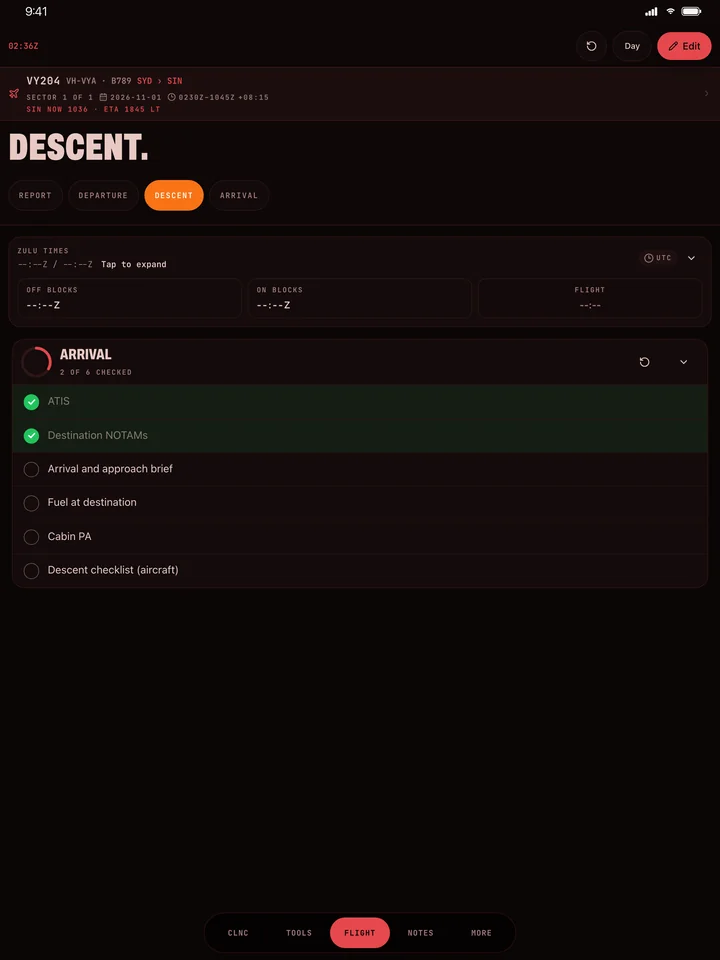
Checklists by phase
Tick through every phase of flight without losing your place, from preflight to after landing.
Build your own
Write your checklists the way your day runs, with challenge and response lined up on dot leaders so you scan instead of read.
Built for Slide Over
On iPad, keep Aerolist one swipe away over your EFB, charts or maps, where your operator permits it. It runs full screen and on iPhone too.
Block times in Zulu
Tap off blocks and on blocks and the flight time works itself out. Type four digits, 24-hour UTC; past midnight is handled.
Local time and ETA
The flight strip keeps the flight number, rego, route and UTC times up top, with the local time and ETA at your destination.
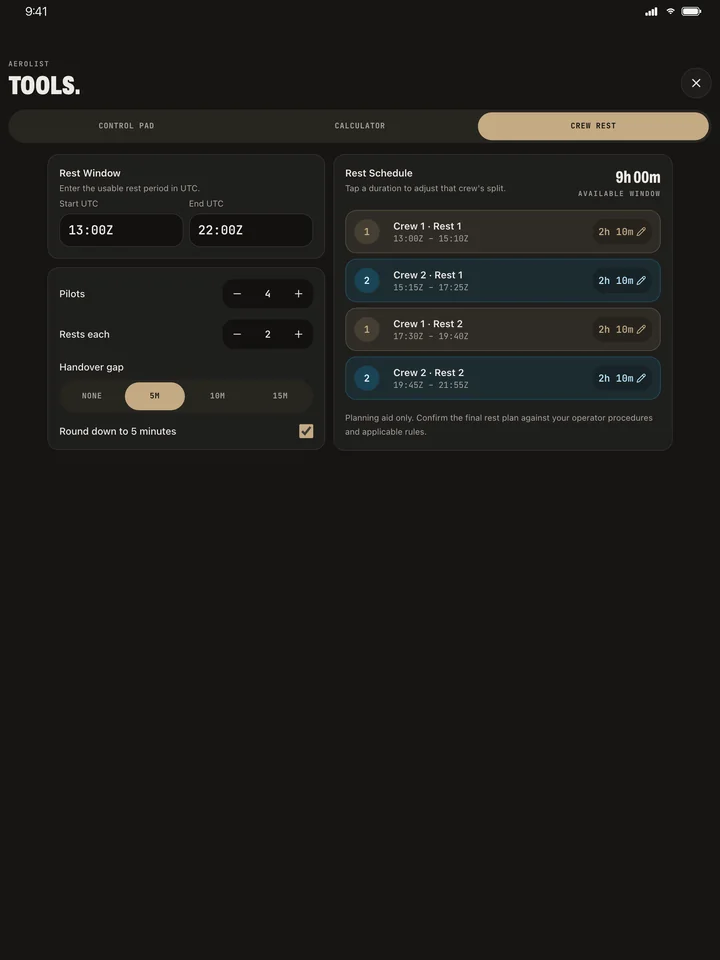
Crew rest calculator
Split a rest window between the crew, with handover gaps and rounding, and see each rest in UTC.
Tools for the duty day
Hours and minutes calculator, control pad, clearances, flight details and a scratch pad for Apple Pencil, a tap from the checklist.
Seven themes
Each with its own app icon. Light and dark follow your device, and Night ops goes dim red for a dark flight deck.
Offline, no account
Everything works with no signal, in flight mode, from the first launch. No sign-up, no analytics, ads or trackers.
Move it with a file
Export your checklist library and import it on another iPhone or iPad.
Free, with optional Premium
Free to download and use. Premium is an optional monthly or yearly subscription, with a free trial on the yearly plan, priced in your currency on the App Store.
Your SOPs come first
Your operator's approved checklists and SOPs always come first. Aerolist is for your own lists and never replaces a normal checklist or the QRH.
Contact
Questions about Aerolist?
Aerolist is free on the App Store for iPad and iPhone. See more at aerolist.app, or send us a message. For support, email aerolist@veylor.studio.